
AI voiceover & lip sync
Turn a script into voiceover on the audio track, then generate lip-sync keyframes for a character from the same clip. When the copy changes, only the text changes.
What it does
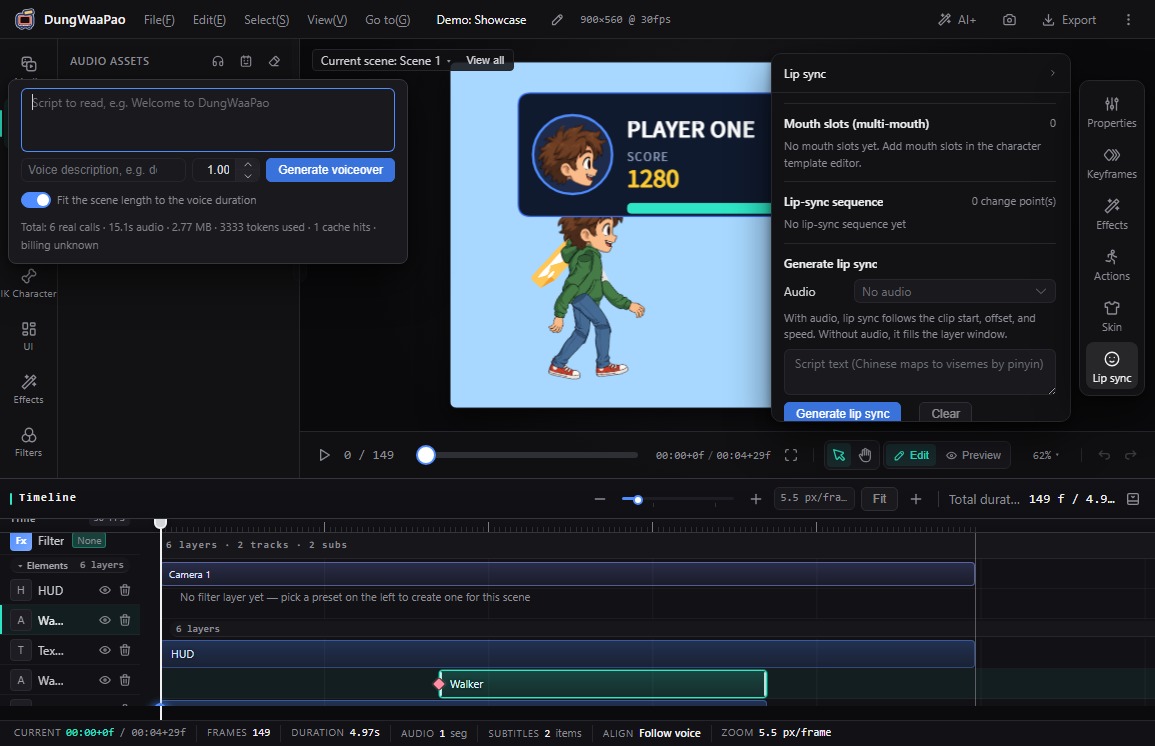
- Voiceover from a script: open AI voiceover (TTS) under AI+ in the top bar, enter the script, describe the voice and adjust speed.
- Automatic placement: the generated audio is added to the project and dropped on the current scene's default audio track. The playhead jumps to the clip start.
- Duration fitting: Fit the scene length to the voice duration is on by default, so the scene grows or shrinks with the voice.
- Visible usage: the panel accumulates call count, audio duration, file size and token usage.
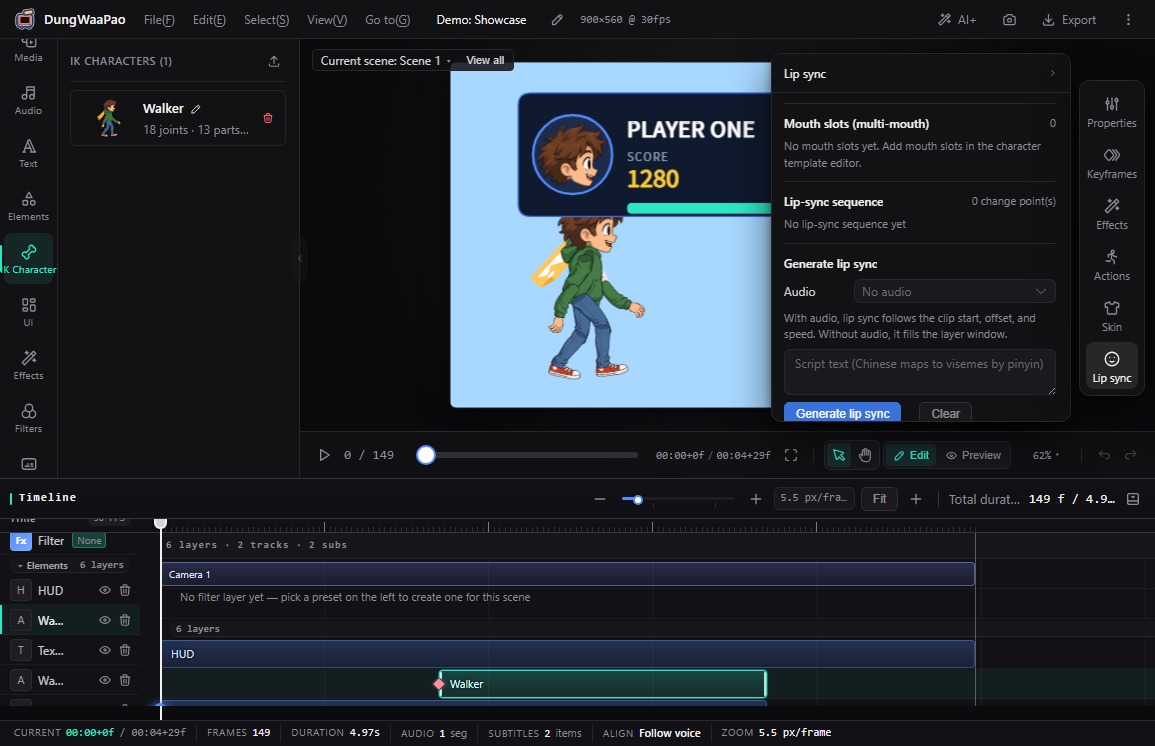
- Lip sync: select a character layer, choose a scene audio clip in the Lip sync panel, enter the script, and generate keys from the waveform and syllables.
- Mouth atlas: assign an image to each of the 9 mouth shapes. Missing shapes fall back to a procedural mouth.
How to use
- Click AI+ in the top bar and switch to AI voiceover (TTS). Enter the script and choose a voice.
- Click Generate voiceover. The audio appears on the current scene's default audio track.
- Select the character layer, switch the dock to Lip sync, and choose that clip under Audio.
- Enter the script text. Without text, lip sync cannot align to syllables and generation is rejected.
- Click Generate lip sync, then choose a mouth part and fill in the mouth atlas.
::: note Where the voice comes from Voiceover requests are proxied by the server, and the browser never sees the credentials. Without separate TTS credentials, the project generates placeholder audio to exercise the full generate → place → export path. :::
Boundaries
- Lip sync follows the clip start, offset and speed. With no audio selected, it fills the layer window.
- The mouth atlas only takes effect after a mouth part is selected. Without one, the procedural mouth remains in charge.
- Voiceover generation makes real calls and consumes quota; the panel reports usage as it accumulates.
With sound in place, continue to Skeletal animation.